Home printers
Laser vs Inkjet Printer for Home: Which Should You Buy?
Written by Printer Co editorial team · Updated
The laser vs inkjet printer for home decision comes down to what you print and how often. Both can produce a sharp letter or a school worksheet. They differ in cost, in how they cope with long breaks, and in what they do well. Here is a plain comparison to help you choose.
How each type prints
An inkjet printer moves a print head back and forth across the page and fires tiny droplets of liquid ink through microscopic nozzles. It can blend colours finely, which is why inkjets are good at photos.
A laser printer uses a laser to draw an image of the page as an electrostatic charge on a drum. Fine powder called toner sticks to the charged areas, transfers to the paper and is melted onto it by a heated roller called the fuser. Because toner is dry, nothing can dry out between jobs.
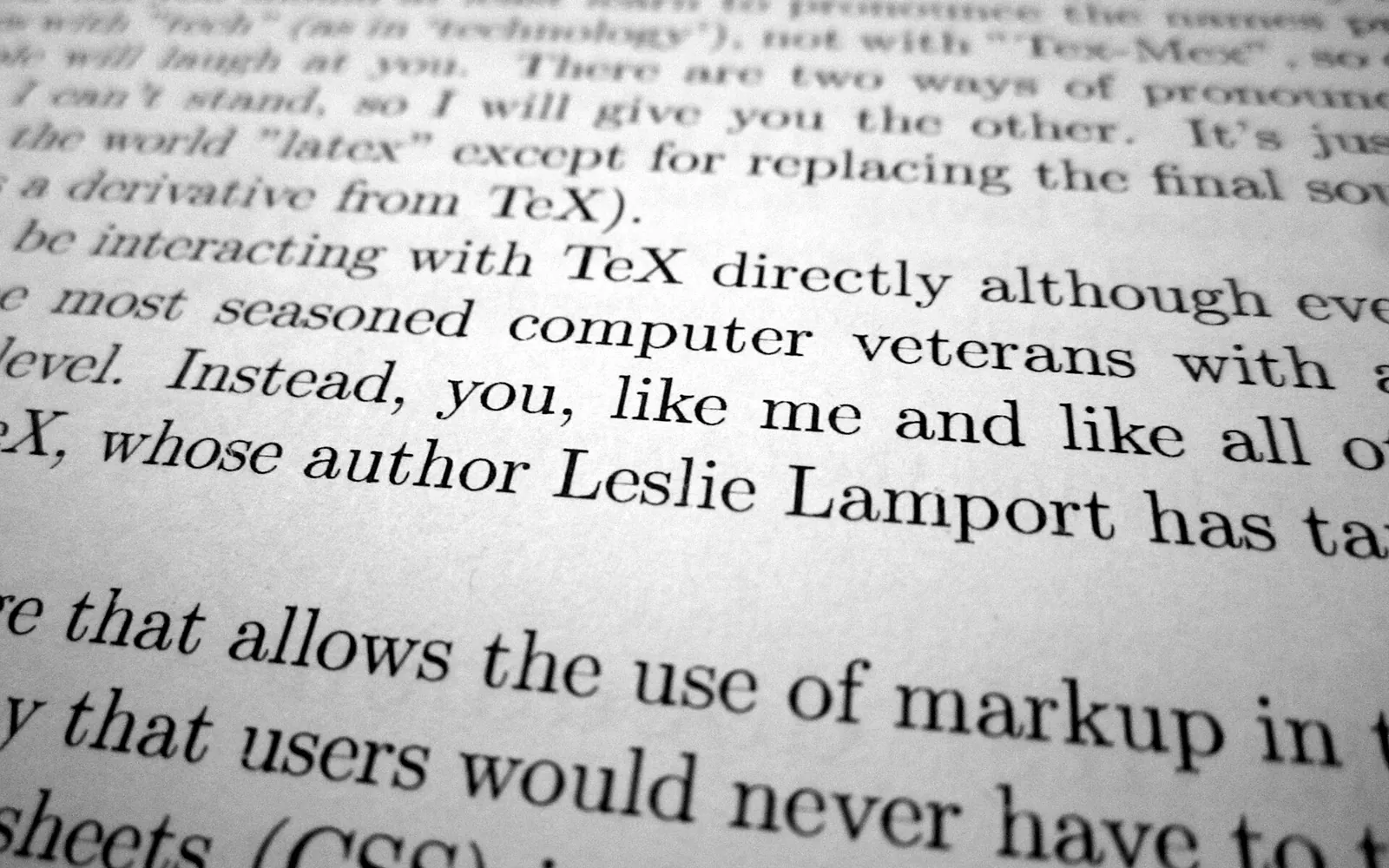
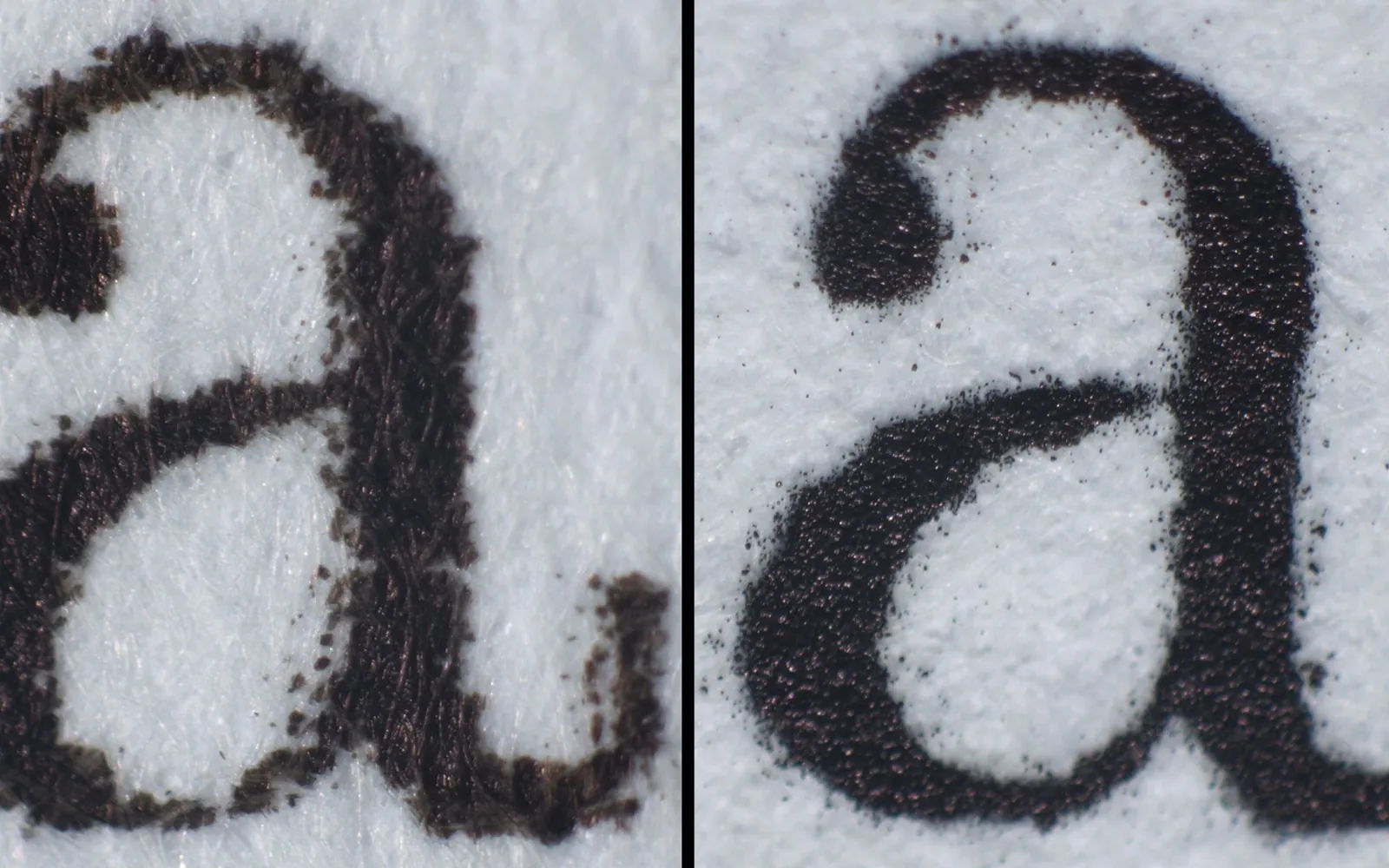
The magnified letters at the top of this page show the difference: inkjet ink soaks slightly into the paper fibres, while laser toner sits on the surface as fused powder.
Side-by-side comparison
| Inkjet | Laser | |
|---|---|---|
| Purchase price | Usually lower | Mono lasers can be inexpensive; colour lasers cost more |
| Black text | Good | Very sharp and smudge-resistant |
| Colour documents | Good | Good on colour models |
| Photos | Best at home | Weak; often cannot use glossy inkjet paper |
| Long idle periods | Ink can dry in nozzles | No drying problem |
| Speed | Slower for long documents | Faster, especially multi-page |
| Size | Often compact | Mono lasers can be compact; colour lasers are bulky |
| Supplies | Ink cartridges or bottles | Toner cartridge, sometimes separate drum |
Running costs
For black text, a mono laser usually has a low cost per page, and the toner cartridge lasts a long time. Inkjet running costs vary widely: cartridge inkjets can be expensive per page, while ink tank printers can be very cheap. Toner yields are measured with ISO/IEC 19752 (black) and ISO/IEC 19798 (colour), and inkjet yields with ISO/IEC 24711, so you can compare the official figures fairly. Our printer cost per page guide shows the arithmetic.
Remember the hidden cost of inkjets for light users: ink spent on cleaning cycles. A laser has no equivalent, which is one reason it suits households that print rarely. See print head clogging for why inkjets need that maintenance.
Occasional printing: the laser’s strongest case
If your printer often sits unused for weeks, a laser removes the most common inkjet frustration: streaky first pages and cleaning cycles. Switch it on months later and it prints. For a home that mostly prints forms, tickets, letters and homework in black, a small mono laser is often the calmest choice.
Colour and photos: the inkjet’s strongest case
If you print colour regularly, an inkjet gives better colour for the money, and an ink tank inkjet keeps the cost per page low. For photos you want to frame or keep in an album, an inkjet with photo paper is the only realistic home option. See photo printing at home.
How long the supplies last on the shelf
This is where the two technologies differ most for light users. Liquid ink ages: cartridges carry a use-by or install-by date, and ink inside an idle printer can dry in the nozzles. Toner is a dry powder and copes far better with time, although makers still advise storing it in its sealed bag, flat, away from heat, damp and direct light. If a printer in your home may sit for a month or more between jobs, that alone can settle the choice. How long does toner last covers rated yields, real-world page counts and storage.
Questions to answer before you buy
Write the answers down; they decide the type for you:
- How many pages do we print in a typical month, and how many in the busiest month? Count for a month if you do not know.
- What share of those pages truly needs colour? Charts and school projects do; most forms and tickets do not.
- Do we print photos to keep? If yes, an inkjet belongs in the house, even if a laser handles the rest.
- How long can the printer sit unused? Holidays and term breaks count.
- Where will it live? Lasers need ventilation and a little more space; check the printer’s dimensions against the shelf.
Some households end up with both: a small mono laser for everyday black pages and an inkjet, or a print shop, for the occasional colour or photo job. That can be cheaper and less frustrating than one printer trying to do everything.
Health, heat and power
Laser printers heat their fuser to melt toner, so they draw more power while printing and warm up briefly. Many models have quick-start fusers and deep sleep modes. Look for an ENERGY STAR label if power use matters to you, and place any printer in a ventilated spot rather than a closed cupboard. Inkjets use little power while printing.
Maintenance
- Inkjet: replace cartridges or refill tanks, run the occasional nozzle check, and keep the printer in use. Some models have a maintenance box that collects waste ink and needs replacing eventually.
- Laser: replace the toner cartridge, and on some models a separate drum unit after many pages. Toner is a fine powder, so handle cartridges carefully and never put toner in a fire.
The drum question matters when you compare lasers. Some designs build the drum into every toner cartridge, so each replacement brings a new drum; others use a separate drum unit that lasts through several toner cartridges but eventually needs its own replacement. Add both to your cost per page. Our guide to toner vs drum unit explains the two designs and how to tell which part is causing faded or marked pages.
Which should you choose?
- Mostly black text, prints rarely: mono laser.
- Mixed documents with some colour, prints weekly: ink tank inkjet, or a cartridge inkjet if volume is low.
- Photos: inkjet, ideally one designed for photos.
- Lots of colour documents, little photo printing: colour laser or ink tank inkjet; compare cost per page.
If you still are not sure, the best printer for home use guide walks through the full decision, including phone printing and scanning.
Frequently asked questions
Is a laser printer better than an inkjet for home use?
For mostly black text and occasional use, often yes: toner does not dry out and cost per page is low. For colour documents and photos, an inkjet usually gives better results for the money.
Does toner dry out like ink?
No. Toner is a dry powder, so a laser printer can sit unused for months and still print cleanly. Toner cartridges do have a shelf life, but it is long compared with the time ink takes to dry in inkjet nozzles.
Can a laser printer print photos?
A colour laser can print images, but results on glossy photo paper are generally poorer than an inkjet. Many laser printers cannot use inkjet photo paper at all, because the fuser heat can damage it.
Are colour laser printers worth it at home?
Only for homes that print a lot of colour documents, such as charts and flyers. They are bigger, cost more to buy and need four toner cartridges. For most homes, a mono laser plus the odd colour job elsewhere, or a colour inkjet, is simpler.
Does a laser printer need a drum as well as toner?
Every laser printer has a drum. In some models it is built into the toner cartridge and replaced with it; in others it is a separate unit with its own, longer life. Check the printer's supplies list to see which design it uses.
Sources
Editorial team
The Printer Co editorial team researches and writes independent guides to home printers, ink and printing costs, using manufacturer documentation, standards bodies and consumer-protection sources.