Ink and toner
Pigment vs Dye Ink: Which Is Better for Your Prints?
Written by Printer Co editorial team · Updated
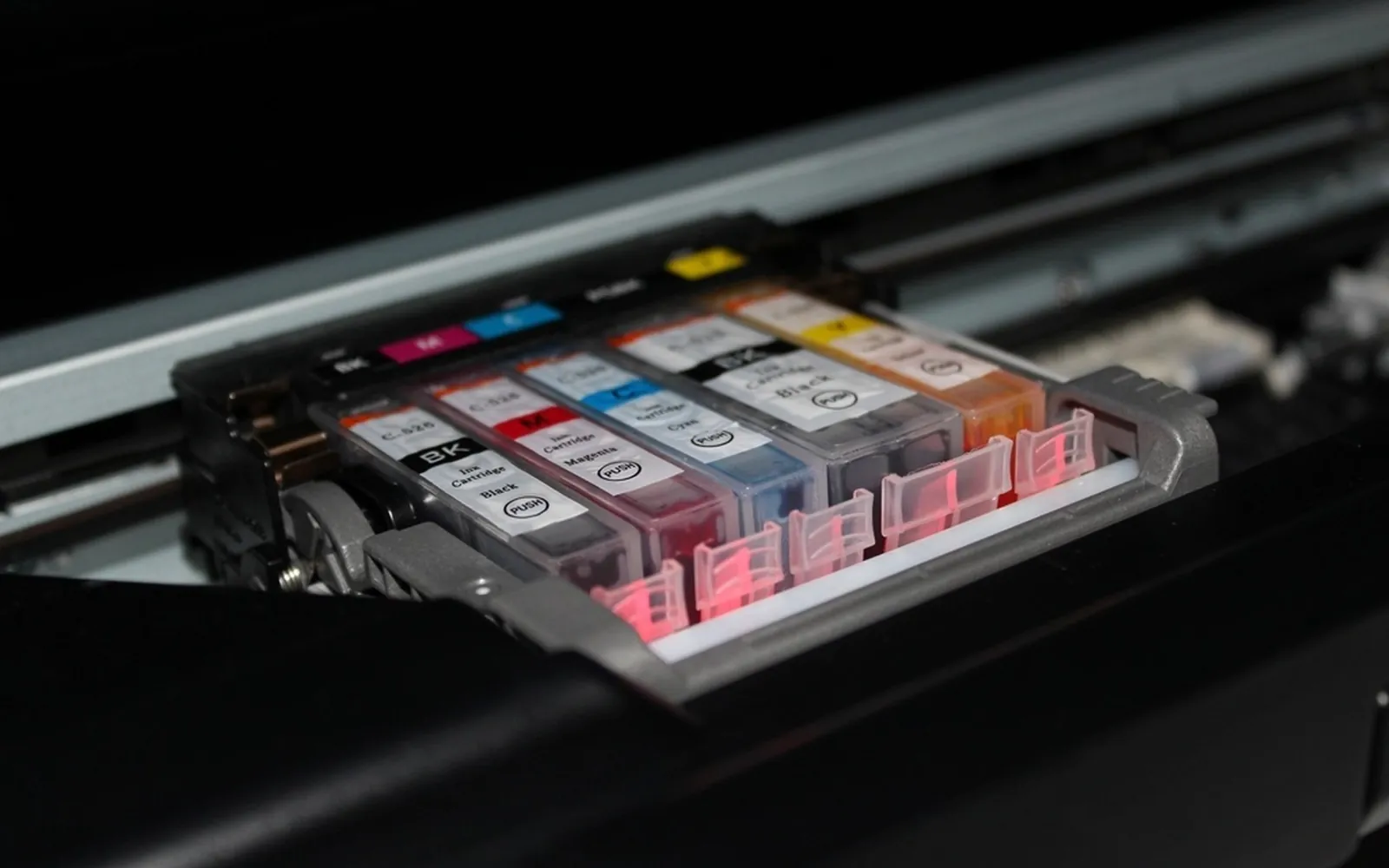
The pigment vs dye ink question sounds technical, but it explains a lot of everyday printer behaviour: why one printer’s text looks razor sharp on cheap paper while another’s looks slightly soft, why some photos smudge under a fingernail, and why a highlighter can turn a printed page into a blue smear. Every inkjet uses one or both kinds of ink. Once you know which yours uses, you can choose paper, settings and replacement ink with fewer surprises.
How dye ink and pigment ink work
Both are liquid inks fired through tiny nozzles, so the difference is in the colourant floating in the liquid.
- Dye ink uses colourants that dissolve completely in the ink liquid, like sugar in tea. Canon’s inkjet manual describes how dye soaks into the paper together with the water in the ink, leaving no roughness on the surface.
- Pigment ink uses solid particles that do not dissolve. They are suspended in the liquid, and when the ink lands, the particles mostly stay at or near the paper surface while the liquid soaks in or evaporates.
That one difference, dissolved versus suspended, drives almost every practical trade-off below.
Sharpness on plain paper
Ordinary office paper is absorbent and uncoated. Dye ink travels into the fibres along with the liquid, so the edges of letters can spread slightly, an effect usually called feathering. Pigment particles are held back at the surface, so lines tend to stay crisper.
That is why printers aimed at documents commonly use a pigment black. If most of what you print is text on plain paper, a pigment black is a real advantage, and you can see it by printing small type (8 point or smaller) and looking at the edges with a magnifier.
Colour and gloss on photo paper
On glossy or lustre photo paper the picture changes. Photo paper has a coating designed to take in ink quickly, and dye ink sinks into that coating. The Canon manual notes that dye prints are more vivid than pigment and that the surface stays smooth.
Pigment on glossy paper sits more on top of the coating. That can cause two things you may notice:
- Uneven gloss. Canon’s manual warns that glossiness varies more with pigment ink on glossy paper. Some areas can look shinier than others when you tilt the print.
- Scuffing. The same manual cautions that pigment ink on glossy paper may come off if scratched, so careful handling is needed. The Image Permanence Institute (IPI) guide makes the same point, describing pigment inkjet surfaces as potentially very sensitive to abrasion.
Pigment photo printers do exist, and they can produce excellent prints, often on matte and fine-art papers. For a typical home photo printer on glossy paper, though, dye colour is the usual choice. Our guide to photo printing at home covers paper and settings in more detail.
Water resistance and fading
Here pigment usually wins. Because pigment particles are insoluble, Canon notes that pigment prints blur less when wet and that their colours are relatively insensitive to the environment. Dye ink is water-soluble, so a wet page can bleed.
The IPI’s preservation guide sums up the research in one sentence: pigment colourants have tended to be more resistant to environmental deterioration (moisture, pollution and light), while dyes have been more durable during handling. The same guide warns that inkjet dyes can bleed when exposed to high humidity, and that ozone in the air can cause fading. Prints kept below 65% relative humidity should be safe from that bleed, according to the IPI.
Two cautions keep this in perspective:
- Paper matters as much as ink. The same ink can last very differently on different papers. Use the maker’s recommended paper when longevity matters.
- Display conditions matter too. Sunlight, heat and humidity speed up fading for both ink types.
Smudging and highlighters
Most highlighters are water-based. Run one across dye-printed text and the water can lift the dye and drag it sideways, especially within the first minutes or hours after printing. Pigment black resists this much better, which is one reason it is common in printers sold for home offices and students.
If you highlight a lot of printed notes:
- Let pages dry fully before marking them.
- Test your highlighter on the edge of a spare page first.
- Consider a printer whose black is pigment-based, and print text in black only.
Printers that use both
Many home inkjets do not choose one or the other. A common pattern is a pigment black for text and dye colours for photos and graphics. The IPI guide describes exactly this mix, with dye colours and pigment black, as one of the three ways printers are set up (all dye, all pigment, or mixed). Some photo-oriented models even carry two blacks: a larger pigment black used on plain paper and a smaller dye black used on photo paper. On such models the printer typically picks the black based on the paper type you select in the print dialog, which is another reason to set the paper type correctly.
Treat this as a general pattern, not a rule for any specific model. The only reliable answer for your printer is its spec sheet.
How to check which ink your printer uses
- Find your exact model name. It is on the front or top of the printer and on the label underneath or at the back.
- Open the maker’s support page for that model. Look for “Specifications”, “Ink” or “Supplies”.
- Look for the ink type line. Makers often list something like “pigment black, dye colour” or “dye-based inks”. Some list it in the user manual under ink or cartridges instead.
- Check the cartridge listing. Cartridge product pages and boxes often state the ink type.
- If you still cannot tell, contact the maker’s support through its website and ask.
Do not try to convert a printer from one ink type to the other. The heads, cleaning routines and colour settings are built around a particular ink. If you buy third-party ink, choose a product made for your exact model and ink type.
What to buy for documents, photos and archival prints
| What you print most | Better fit | Why |
|---|---|---|
| Text, forms, homework, invoices | Pigment black | Crisper on plain paper, resists water and highlighters |
| Mixed documents and casual photos | Pigment black plus dye colours | Sharp text with vivid colour |
| Glossy family photos for albums | Dye colours on matching photo paper | Vivid colour, even gloss, less scuffing |
| Prints for framing or long-term keeping | Pigment, on the paper the maker recommends | Generally better resistance to light and moisture |
For prints you want to keep for decades, store them the way archivists do. The Library of Congress recommends a relatively dry (30 to 50% relative humidity), cool and stable environment for photographs, with limited light exposure, and enclosures that pass the photo-safe requirements of ISO 18902. Avoid attics and basements. Independent lab testing of specific inks and papers is published by Wilhelm Imaging Research if you want to compare particular combinations.
Ink type and refilled or compatible ink
If you refill cartridges or buy third-party ink, check that the replacement matches the ink type your printer was designed for. Many printers use pigment black for text and dye colours, and a refill or compatible ink that swaps one for the other can change sharpness on plain paper, drying time and fade resistance. A reputable seller states whether each ink is pigment or dye. Our guides to third-party printer ink and how to refill ink cartridges cover what else to check.
The short version
If you mostly print words, look for a pigment black. If you mostly print glossy photos, dye colours on good photo paper will look the most vivid. If you want both, a mixed-ink printer is the common compromise. Whatever you have, check the spec sheet rather than guessing, and if your cartridges seem to run out fast, read why printer ink is so expensive and our guide to ink tank vs cartridge printers before your next purchase.
Frequently asked questions
Is pigment ink better than dye ink?
Neither is better for everything. Pigment ink tends to print sharper text on plain paper and resists water and fading better. Dye ink tends to look more vivid and evenly glossy on photo paper and is less prone to scuffing. Choose by what you print most.
Can I put pigment ink in a printer designed for dye ink?
No. A printer's heads, settings and colour profiles are designed around a specific ink. Use only the ink type the printer maker specifies for your model, whether you buy original or third-party ink.
Why does my text smear when I use a highlighter?
Most highlighters are water-based, and dye-based ink is water-soluble, so a highlighter can drag dye-printed text, especially soon after printing. Pigment black resists this better. Let pages dry fully and test your highlighter on a spare print.
How do I know if my printer uses pigment or dye ink?
Look up your exact model on the maker's website and open the specifications or the ink and cartridge section of the manual. It usually states the ink type, often separately for the black and the colours. The cartridge listing or box may also say pigment or dye.
Which ink lasts longest for framed photos?
In general, pigment inks have tended to resist light, moisture and pollution better than dye inks, according to the Image Permanence Institute. Paper and display conditions matter almost as much, so frame behind glass and keep prints out of direct sun.
Sources
- Canon inkjet manual: Types of ink (dye and pigment)
- Image Permanence Institute (RIT): IPI Guide to Preservation of Digitally-Printed Photographs (PDF)
- Image Permanence Institute (RIT): Digital print preservation research
- Library of Congress: Care, handling and storage of photographs
- Wilhelm Imaging Research: print permanence test reports
Editorial team
The Printer Co editorial team researches and writes independent guides to home printers, ink and printing costs, using manufacturer documentation, standards bodies and consumer-protection sources.